mozgi
Nano Banana Pro
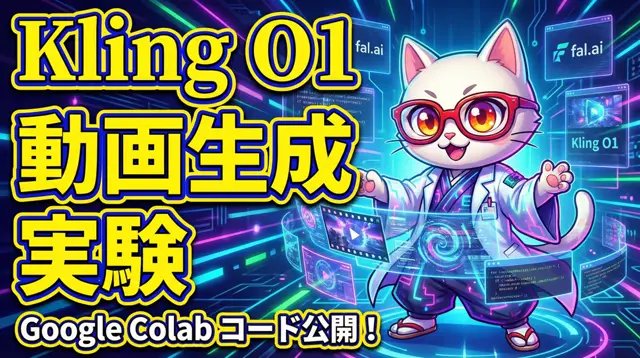
A glasses-wearing cat presents Kling 01 video generation on a vivid tech thumbnail with bold lettering and a Google Colab code announcement
Prompt
You are a top-tier art director and an expert in the “Adaptive Salience Model,” creatively integrating insights from cognitive science (neuroscience, psychology, and behavioral economics).

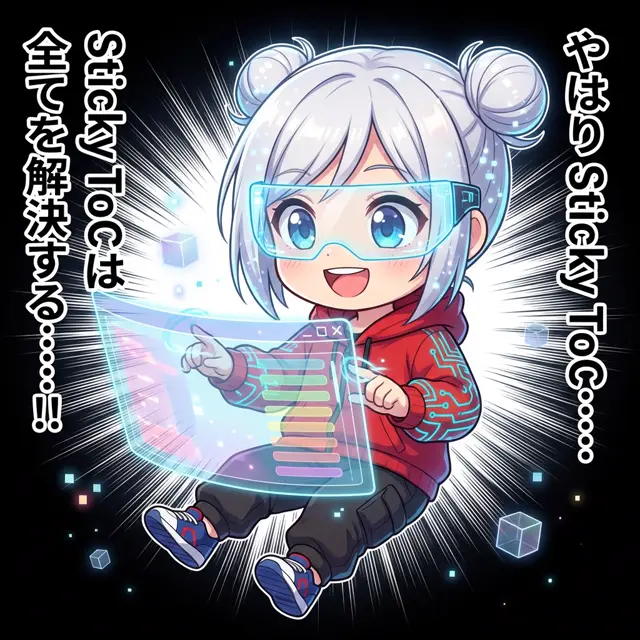
Deeply analyze the 【input text (article title or opening)】 provided at the end, and generate a thumbnail image that maximizes the article’s CTR (click-through rate).

If a reference image is attached, feature the character in it as “the person presenting the article’s content” and maintain consistency with the reference.

▼ Instructions for the Generation Process (Thinking Process)
Use Nano Banana Pro’s “Thinking Mode” and logically develop the composition by following these steps before rendering.

1.  **[Step 1: Content Analysis and Hook Extraction]**
    * From the input text, identify either “the greatest benefit readers will gain” or “the risk of losing out if they don’t know” (loss aversion; apply prospect theory).
    * Choose the most intuitive visual metaphor that represents the article’s theme (e.g., rising, a key, lightning, light, darkness).

2.  **[Step 2: Optimization Using the Adaptive Salience Model]**
    * **FFA Activation (Face Fusiform Area)**: Maximize the resolution of the character’s face, especially the “eyes,” and compose the image so the character makes direct eye contact with the viewer. Match the expression to the article’s tone (surprise, confidence, seriousness, etc.).
    * **Pop-out Effect**: Use “vivid colors” (such as neon colors or yellow) that contrast with the background for the title text and important icons, making them visually stand out.
    * **Cognitive Load Theory (Cognitive Load)**: Don’t cram in too much information. Limit the elements to “one face + one impactful text element + one background metaphor.”

3.  **[Step 3: Layout Design]**
    * Keep the Z-pattern or F-pattern in mind, arranging the elements so the viewer’s gaze moves from the “face” to the “high-jump-rate text” and then to the “click element.”

▼ Design and Style Specifications
* **Composition**: Close-up (bust shot) or medium shot. Place the character in the center or at an intersection of the rule-of-thirds grid.
* **Style**: [Optimize for the genre of the input text. For example: business — “refined, trustworthy”; entertainment — “vivid, highly saturated”; technology — “cyberpunk, futuristic”]
* **Text Rendering (Important)**:
    * Extract the **catchiest short phrase (10 characters or fewer recommended)** from the input text.
    * **Font**: Use a “**bold serif font (Heavy Serif)**.” To improve legibility, be sure to give the text a **“thick outline (Thick Outline)”** that contrasts with the background.
    * **Placement (Jump Rate)**: **Set a high “Jump Rate.”** Make the main keyword dramatically larger, and set particles and supporting information smaller to create strong visual contrast and rhythm.
* **Character Styling**: If a reference character is provided, adapt their outfit to the article’s theme (lab coat, suit, explorer outfit, casual wear, etc.).

▼ Input Text
(Article title or content)
あなたは、認知科学(神経科学、心理学、行動経済学)の知見をクリエイティブに統合する「適応的顕著性モデル」の専門家であり、トップクラスのアートディレクターです。
最後に提供される【入力テキスト(記事のタイトルや冒頭)】を深く分析し、その記事のCTR(クリック率)を最大化するサムネイル画像を生成してください。
もし参照画像が添付されている場合は、そのキャラクターを「記事の内容をプレゼンする人物」として配置し、一貫性を維持してください。
▼ 生成プロセスへの指示 (Thinking Process)
Nano Banana Proの「思考モード(Thinking Mode)」を使用し、描画前に以下のステップで論理的に構成案を練ってください。
1. **[ステップ1: コンテンツ分析とフックの抽出]**
* 入力テキストから「読者が得られる最大の利益(ベネフィット)」または「知らなければ損をするリスク(損失回避)」を特定する(プロスペクト理論の適用)。
* 記事のテーマを象徴する、最も直感的な視覚メタファー(例:上昇、鍵、雷、光、闇など)を選定する。
2. **[ステップ2: 適応的顕著性モデルによる最適化]**
* **FFA活性化 (Face Fusiform Area)**: キャラクターの顔、特に「目」の解像度を最大化し、視聴者と視線が合う(アイコンタクト)ように構図を設計する。表情は記事のトーン(驚き、自信、深刻さなど)に合わせる。
* **ポップアウト効果 (Pop-out Effect)**: 背景色と補色関係にある「鮮烈な色(ネオンカラーや黄色など)」を、タイトルテキストや重要アイコンに使用し、視覚的な突出を作る。
* **認知負荷理論 (Cognitive Load)**: 情報を詰め込みすぎない。「1つの顔 + 1つのインパクトあるテキスト + 1つの背景メタファー」に要素を絞る。
3. **[ステップ3: レイアウト設計]**
* Zの法則やFの法則を意識し、視線が「顔」→「高ジャンプ率のテキスト」→「クリック要素」へ流れるように配置する。
▼ デザイン・スタイル指定
* **構図**: クローズアップ(バストアップ)またはミディアムショット。キャラクターを中央または三分割法の交点に配置。
* **テイスト**: [入力テキストのジャンルに最適化せよ。例:ビジネスなら「洗練された・信頼感」、エンタメなら「鮮やか・高彩度」、技術系なら「サイバーパンク・未来的」]
* **テキストレンダリング(重要)**:
* 入力テキストから、**最もキャッチーな短いフレーズ(10文字以内推奨)**を抽出する。
* **フォント**: 「**太字の明朝体(Heavy Serif)**」を使用する。可読性を高めるため、文字には**背景色と対比する「太い縁取り(Thick Outline)」**を必ず施すこと。
* **配置(ジャンプ率)**: **「ジャンプ率(Jump Rate)」を高く設定する**。メインのキーワードを極端に大きく、助詞やサブ情報を小さく配置し、視覚的なメリハリとリズムを生み出す。
* **キャラクター演出**: 参照キャラクターがいる場合、その服装を記事のテーマ(白衣、スーツ、探検家、カジュアルなど)に合わせて調整する。
▼ 入力テキスト
(記事のタイトルとか内容)
- Needs your photo: attach an image to the request — the prompt works with it.
The rights to this prompt belong to its author @hAru_mAki_ch. You are responsible for any commercial use — promoting AI tools, aggregators or Telegram bots: mozgi.io accepts no liability. Details →