mozgi
GPT Image 2.0
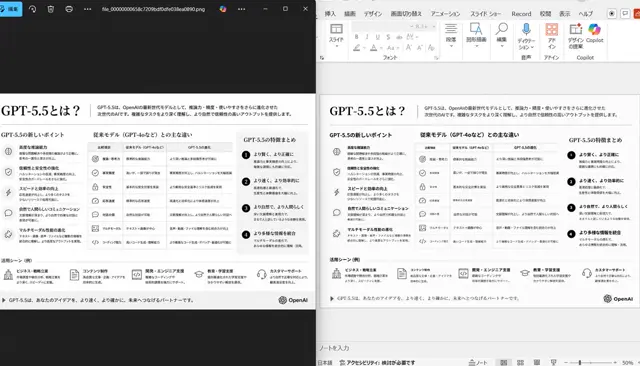
Vista desktop affiancata che confronta un visualizzatore di immagini scuro con una finestra di modifica PowerPoint, mostrando una diapositiva monocromatica
Prompt
Using the provided reference image of the PowerPoint slide screenshot, recreate it as a clean, polished slide conversion result inside a side-by-side desktop comparison. Keep the same Japanese slide topic and overall layout, but remove the dense selection handles, edit boxes, and malformed vector artifacts from the reference so the slide appears properly reconstructed. Show 2 panels: on the left, a dark image viewer window displaying the exported slide image; on the right, the same slide opened in PowerPoint editing view. Preserve the original monochrome infographic style and Japanese text structure, but make the typography legible and the icons, dividers, and columns cleanly aligned. Keep the slide as a single-page infographic with 5 main content areas: 1 top title/header row, 3 mid-page comparison columns, 1 bottom use-case row containing 5 icon-labeled items. Include a footer line and the OpenAI logo at bottom right. Emphasize that this is a faithful PPT reconstruction from the uploaded image, with a realistic Windows desktop app screenshot look.
- Serve una tua foto: allega un'immagine alla richiesta, il prompt lavora su di essa.
I diritti su questo prompt appartengono all'autore @nakazakifam. Dell'uso commerciale — promozione di strumenti IA, aggregatori, bot Telegram — rispondi tu: mozgi.io non si assume alcuna responsabilità. Dettagli →