mozgi
Claude Opus 5.5
Teaser di prodotto per NotchBrowser, che mostra la sua integrazione con il desktop Mac e le funzionalità delle app AI
Prompt
Usando HyperFrames, crea un teaser ad alto tasso di hype per il prodotto di questo post — [link]. Formato orizzontale, circa 27 secondi. Riproduci l'interfaccia del prodotto, lo sfondo e i testi del video del post

Il movimento deve risultare lento e raffinato — un'unica camera continua sopra un solo desktop Mac, senza stacchi netti. I movimenti in avanti, indietro e panoramici della camera devono durare da 1,5 a 3 secondi e seguire curve ease-in-out morbide, senza nulla di scattoso — punta alla metà della velocità che useresti normalmente. Aggiungi motion blur ai movimenti veloci e una leggera grana cinematografica come finitura. Usa un cursore macOS sovradimensionato. Nessun audio. Tutti i testi a schermo devono essere in minuscolo, come nel post.

1. Apri con una grande riga centrata — "in the AI era, the hard part is" — che entra parola per parola da destra, con un wipe testuale arancione colorama sopra di essa (il componente di registry `colorama-wipe`). Lasciala in posa per circa un secondo, poi ridimensionala e posizionala sopra un elenco rotante.
2. L'elenco passa in rassegna 30 aspetti difficili del lavoro nell'era dell'AI — spendere i token con criterio, scegliere il modello giusto, gestire le finestre di contesto, ecc. — ciascuno con l'icona reale di un'app. Fallo scorrere velocemente: non deve essere letto, poi fermati lentamente su "managing your desktop". 0,2 s dopo che si è fermato, fai comparire un punto interrogativo accanto.
3. Allontana la camera per rivelare il desktop Mac, mentre le finestre si accumulano una sopra l'altra arrivando da dietro la camera — Claude, ChatGPT, Grok, Linear, Chrome, Spotify, Slack e Claude Code in un terminale. Ricreale fedelmente come le app reali, usando icone reali.
4. Avvicinati di nuovo per far volare le finestre oltre la camera, tornando al testo — "don't make your browser / one of them".
5. Fai una panoramica verso l'alto fino a un'inquadratura strettissima che mostri solo il notch e la parte superiore dello sfondo. Un cursore sale e si ferma sopra di esso — il notch si trasforma in una pillola con il nome "NotchBrowser", poi si apre nel pannello del browser esattamente come nel video.
6. Fai clic sulle schede come nel video, poi fai clic sul chevron di chiusura per far rientrare il pannello nel notch.
7. Concludi con una checklist delle affermazioni del post, con anelli e segni di spunta che si disegnano sullo schermo
Using HyperFrames, make a hype teaser for the product in this post - [link]. Landscape, around 27 seconds. Match the product UI, wallpaper and copy from the post's video

Motion should feel slow and polished - one continuous camera over one Mac desktop, no hard cuts. Camera pushes, pulls and pans run like 1.5 to 3 seconds on gentle ease-in-out curves, nothing snappy - aim for half the speed you'd default to. Add motion blur on fast moves and a light film grain finish. Use an oversized macOS cursor. No audio. All on-screen copy lowercase like the post.

1. Open on a big centered line - "in the AI era, the hard part is" - entering word by word from the right with an orange colorama text wipe over it (the `colorama-wipe` registry component). Hold it about a second, then scale it down into place above a spinning list.
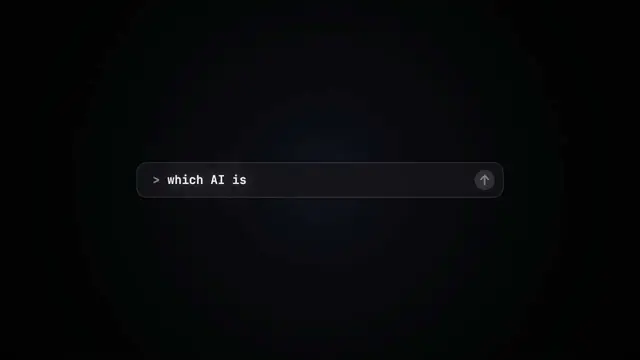
2. The list rotates through 30 hard things about working in the AI era - spending tokens wisely, picking the right model, managing context windows, etc - each with a real app icon. Go fast, it's not meant to be read, then land slowly on "managing your desktop". 0.2s after it lands a question mark pops on after it.
3. Pull the camera back to reveal the Mac desktop as windows pile in on top of each other, arriving from behind the camera - Claude, ChatGPT, Grok, Linear, Chrome, Spotify, Slack and Claude Code in a terminal. Build these as accurate recreations of the real apps with real icons.
4. Push back in so the windows fly past the camera, back to text - "don't make your browser / one of them".
5. Pan up to a really tight framing of just the notch and the top of the wallpaper. A cursor comes up and hovers - the notch morphs into a pill with the name "NotchBrowser", then opens into the browser panel exactly like in the video.
6. Click through the tabs like the video does, then click the collapse chevron so the panel retracts into the notch.
7. End on a checklist of the post's claims with rings and ticks drawing on
I diritti su questo prompt appartengono all'autore @jake11moran. Dell'uso commerciale — promozione di strumenti IA, aggregatori, bot Telegram — rispondi tu: mozgi.io non si assume alcuna responsabilità. Dettagli →