mozgi
Claude Opus 5.5
Promozione dinamica di elementi UI con animazione fluida e interattività
Prompt
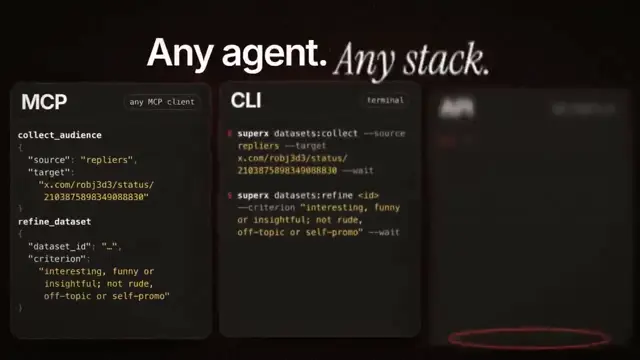
Analizza http://sprites.ai e crea una promozione del prodotto usando la nostra UI, non componenti generici.

<direction>
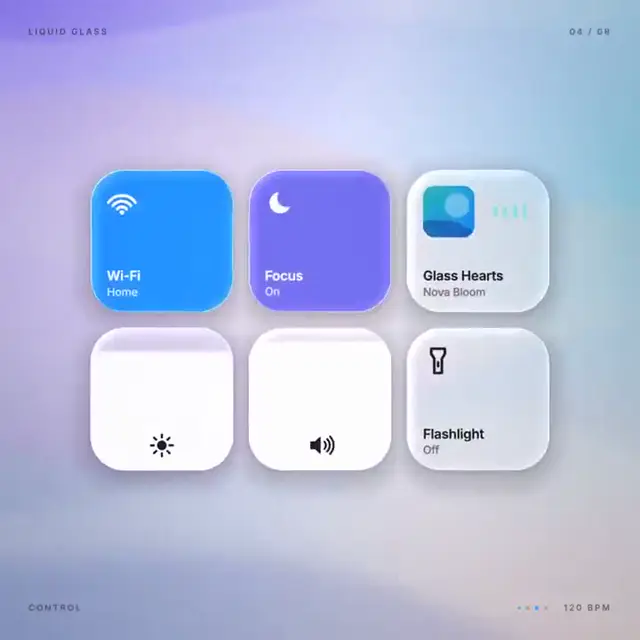
Movimento UI di livello Dribbble. Una sola forma, mai tagliata: ogni stato è lo stesso elemento che modifica dimensioni, raggio e colore, mentre il contenuto cambia con una breve sfocatura. Un cursore guida ogni cambiamento con clic e trascinamenti reali. Canvas grigio caldo, componenti in bianco e nero, un solo colore d'accento (#FD9543), Geist. Molle ovunque, con al massimo un leggerissimo overshoot. La videocamera effettua uno zoom in modo che ogni stato riempia l'inquadratura. L'ultimo frame = il primo frame, così il video va in loop.
Vietati: easing rimbalzanti, particelle, bagliori, gradienti nella UI chrome, spessori dei tratti delle icone non coerenti, tempi morti e qualsiasi cosa sembri un template.
</direction>

<structure>
120 BPM, 7 battute, qualcosa a ogni battito.
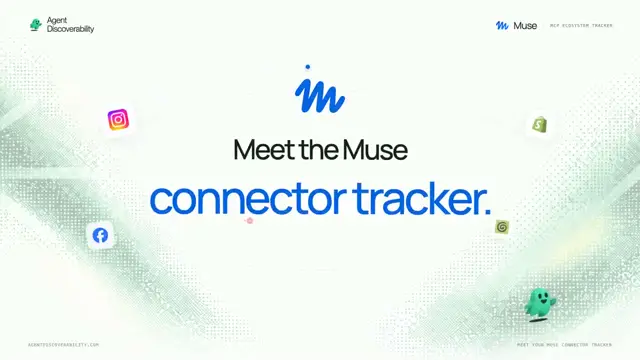
Collega l'account pubblicitario (loghi Meta, Google, LinkedIn, TikTok, Reddit) → loader → spunta → la barra del prompt digita "Launch ads that convert" → isola "Researching 42 competitors" → una parete di annunci reali in Ads Library scorre e si ferma su quello con le migliori prestazioni → scheda di approvazione → Approve & launch → il cursore del budget si estende oltre il massimo → interruttore Autopilot → la manopola diventa un indicatore di scheda liquido che attraversa i canali → il grafico ROAS si disegna da solo, con tooltip al passaggio del cursore → ⌘K → digita "pause" → toast "Paused 3 losing ads" → ritorno al pulsante.
</structure>

<build>
1. Un solo file HTML, 1440x1440. Ogni stile viene calcolato all'interno di seek(t): nessuna transizione CSS, nessun timer, nessuno stato tra i frame.
2. Le molle sono risposte al gradino in forma chiusa. Un valore che cambia obiettivo molte volte è una somma di molle, quindi rimane una pura funzione del tempo.
3. Indicatore di scheda e manopola dell'interruttore: i due bordi seguono molle diverse, così il bordo anteriore si allunga in avanti.
4. I trascinamenti sono manipolazione diretta: mentre il pulsante è tenuto premuto, il valore segue il cursore. Al rilascio torna elasticamente indietro partendo dal punto in cui si trova.
5. Niente musica. Sintetizza i suoni UI con numpy e posiziona ciascuno sulla griglia dei battiti in base al picco misurato.
6. Esegui il rendering con Playwright: 4 subframe per ogni frame, miscelati con ffmpeg tmix per ottenere il motion blur a 60fps.
7. Esegui prima il rendering di un frame per ogni battito. Correggi tutto ciò che è fuori griglia, troppo compresso o difficile da leggere.
</build>

<gotchas>
Non usare will-change su nulla di ciò che la videocamera scala. Il testo sostituito deve avere una propria temporizzazione di entrata e uscita. Fai coincidere l'ultimo frame con il primo, inclusi posizione e velocità del cursore, altrimenti il loop avrà uno scatto.
</gotchas>

Mostrami l'elenco degli stati sulla griglia dei battiti prima di scrivere qualsiasi codice.
Analyze http://sprites.ai and build a product promo from our own UI, not generic components.

<direction>
Dribbble-level UI motion. One shape, never cut: every state is the same element morphing its size, radius and color while its content swaps with a short blur. A cursor drives every change with real clicks and drags. Warm-gray canvas, black and white components, one accent (#FD9543), Geist. Springs everywhere, a tiny overshoot at most. The camera zooms so each state fills the frame. Last frame = first frame, so it loops.
Banned: bouncy easing, particles, glows, gradients on UI chrome, mismatched icon strokes, dead time, anything that looks like a template.
</direction>

<structure>
120 BPM, 7 bars, something on every beat.
Connect ad account (Meta, Google, LinkedIn, TikTok, Reddit logos) → loader → check → prompt bar types "Launch ads that convert" → island "Researching 42 competitors" → Ads Library wall of real ads scrolls and lands on a top performer → approval card → Approve & launch → budget slider that stretches past max → Autopilot toggle → knob becomes a liquid tab indicator across channels → ROAS chart draws itself with hover tooltip → ⌘K → type "pause" → toast "Paused 3 losing ads" → back to the button.
</structure>

<build>
1. One HTML file, 1440x1440. Every style is computed inside seek(t): no CSS transitions, no timers, no state between frames.
2. Springs are closed-form step responses. A value that changes target many times is a sum of springs, so it stays a pure function of time.
3. Tab indicator and toggle knob: the two edges ride different springs, so the leading edge stretches ahead.
4. Drags are direct manipulation: while held, the value follows the cursor. On release it springs back from wherever it was.
5. No music. Synthesize UI sounds with numpy and place each one by its measured peak on the beat grid.
6. Render with Playwright: 4 subframes per frame, blended with ffmpeg tmix for motion blur at 60fps.
7. Render one frame per beat first. Fix anything off-grid, cramped or hard to read.
</build>

<gotchas>
No will-change on anything the camera scales. Swapped text needs its own enter/exit timing. Match the last frame to the first, cursor position and speed included, or the loop stutters.
</gotchas>

Show me the state list on the beat grid before writing any code.
I diritti su questo prompt appartengono all'autore @AnnaCher___. Dell'uso commerciale — promozione di strumenti IA, aggregatori, bot Telegram — rispondi tu: mozgi.io non si assume alcuna responsabilità. Dettagli →