mozgi
Claude Opus 5.5
Mac masaüstü entegrasyonunu ve yapay zeka uygulaması özelliklerini sergileyen NotchBrowser için ürün tanıtımı
Prompt
HyperFrames kullanarak bu gönderideki ürün için — [link] — hype teaser hazırla. Yatay format, yaklaşık 27 saniye. Ürün arayüzünü, duvar kâğıdını ve gönderinin videosundaki metinleri eşleştir

Hareketler yavaş ve kusursuz hissettirmeli — tek bir Mac masaüstünün üzerinde ilerleyen tek bir kesintisiz kamera, sert kesmeler yok. Kamera ileri, geri ve yatay hareketlerini yumuşak ease-in-out eğrileriyle 1,5 ila 3 saniyede gerçekleştirsin; hiçbir şey ani olmasın — varsayılan olarak kullanacağın hızın yarısını hedefle. Hızlı hareketlere motion blur ekle ve son dokunuş olarak hafif bir film grain kullan. Büyük boyutlu bir macOS imleci kullan. Ses olmasın. Ekrandaki tüm metinler, gönderideki gibi küçük harflerle yazılsın.

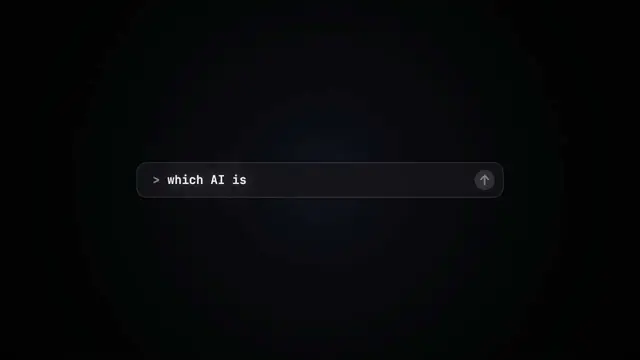
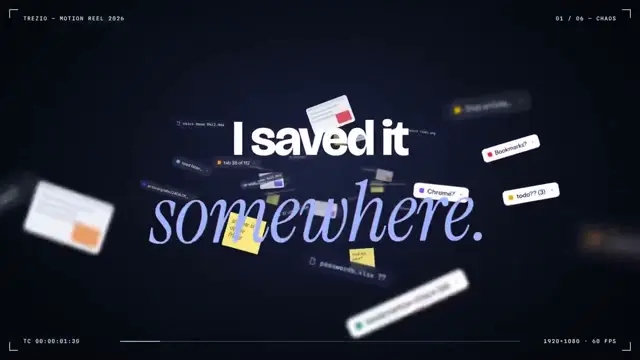
1. Ortada büyük bir satırla aç — "in the AI era, the hard part is" — kelimeler sağdan tek tek girsin ve üzerlerinde turuncu bir colorama metin wipe efekti olsun (`colorama-wipe` registry bileşeni). Yaklaşık bir saniye beklet, ardından küçültüp dönen listenin üzerine yerleştir.
2. Liste, AI çağında çalışmaya dair 30 zor şeyi döndürerek göstersin — token'ları akıllıca harcamak, doğru modeli seçmek, context window'larını yönetmek vb. — her birinde gerçek bir uygulama simgesi olsun. Hızlı ilerle; okunması amaçlanmıyor. Ardından yavaşça "managing your desktop" üzerinde dursun. Durduktan 0,2 saniye sonra yanına bir soru işareti belirsin.
3. Kamerayı geri çekerek Mac masaüstünü ortaya çıkar; pencereler kameranın arkasından gelerek üst üste yığılsın — Claude, ChatGPT, Grok, Linear, Chrome, Spotify, Slack ve bir terminalde Claude Code. Bunları gerçek uygulamaların, gerçek simgeler kullanılan doğru rekonstrüksiyonları olarak oluştur.
4. Pencerelerin kameranın yanından uçup geçmesi için tekrar yaklaş ve metne dön — "don't make your browser / one of them".
5. Sadece çentiğin ve duvar kâğıdının üst kısmının göründüğü çok sıkı bir kadraja ulaşmak için yukarı pan yap. Bir imleç yukarı gelip üzerine gelsin — çentik, "NotchBrowser" adlı bir hap şekline dönüşsün, ardından videodakiyle tamamen aynı şekilde tarayıcı paneline açılsın.
6. Videodaki gibi sekmeler arasında tıkla, ardından panelin tekrar çentiğin içine daralması için daraltma şevronuna tıkla.
7. Gönderideki iddialardan oluşan bir kontrol listesiyle bitir; halkalar ve tik işaretleri çizilerek belirsin
Using HyperFrames, make a hype teaser for the product in this post - [link]. Landscape, around 27 seconds. Match the product UI, wallpaper and copy from the post's video

Motion should feel slow and polished - one continuous camera over one Mac desktop, no hard cuts. Camera pushes, pulls and pans run like 1.5 to 3 seconds on gentle ease-in-out curves, nothing snappy - aim for half the speed you'd default to. Add motion blur on fast moves and a light film grain finish. Use an oversized macOS cursor. No audio. All on-screen copy lowercase like the post.

1. Open on a big centered line - "in the AI era, the hard part is" - entering word by word from the right with an orange colorama text wipe over it (the `colorama-wipe` registry component). Hold it about a second, then scale it down into place above a spinning list.
2. The list rotates through 30 hard things about working in the AI era - spending tokens wisely, picking the right model, managing context windows, etc - each with a real app icon. Go fast, it's not meant to be read, then land slowly on "managing your desktop". 0.2s after it lands a question mark pops on after it.
3. Pull the camera back to reveal the Mac desktop as windows pile in on top of each other, arriving from behind the camera - Claude, ChatGPT, Grok, Linear, Chrome, Spotify, Slack and Claude Code in a terminal. Build these as accurate recreations of the real apps with real icons.
4. Push back in so the windows fly past the camera, back to text - "don't make your browser / one of them".
5. Pan up to a really tight framing of just the notch and the top of the wallpaper. A cursor comes up and hovers - the notch morphs into a pill with the name "NotchBrowser", then opens into the browser panel exactly like in the video.
6. Click through the tabs like the video does, then click the collapse chevron so the panel retracts into the notch.
7. End on a checklist of the post's claims with rings and ticks drawing on
Bu promptun hakları yazarı @jake11moran'a aittir. Ticari kullanımdan — yapay zekâ araçlarının, toplayıcıların, Telegram botlarının tanıtımı — siz sorumlusunuz: mozgi.io sorumluluk kabul etmez. Ayrıntılar →