mozgi
Claude Opus 5.5
Akıcı animasyon ve etkileşimli UI öğelerinin dinamik tanıtımı
Prompt
http://sprites.ai adresini analiz et ve genel bileşenler yerine kendi UI'ımızı kullanarak bir ürün tanıtımı oluştur.

<direction>
Dribbble düzeyinde UI hareketi. Tek bir şekil, asla kesilmez: her durum, boyutunu, yarıçapını ve rengini değiştiren, içeriği kısa bir bulanıklıkla değişen aynı öğedir. İmleç her değişikliği gerçek tıklamalar ve sürüklemelerle yönlendirir. Sıcak gri bir tuval, siyah ve beyaz bileşenler, tek bir vurgu rengi (#FD9543), Geist. Her yerde yaylar kullanılsın; en fazla çok küçük bir taşma olsun. Kamera her durumu kadrajı dolduracak şekilde yakınlaştırır. Son kare = ilk kare; böylece döngü kusursuz şekilde tekrarlanır.
Yasaklar: zıplayan easing, parçacıklar, parlamalar, UI chrome üzerinde degradeler, uyumsuz ikon çizgi kalınlıkları, boş bekleme anları ve şablon gibi görünen her şey.
</direction>

<structure>
120 BPM, 7 ölçü, her vuruşta bir şey olsun.
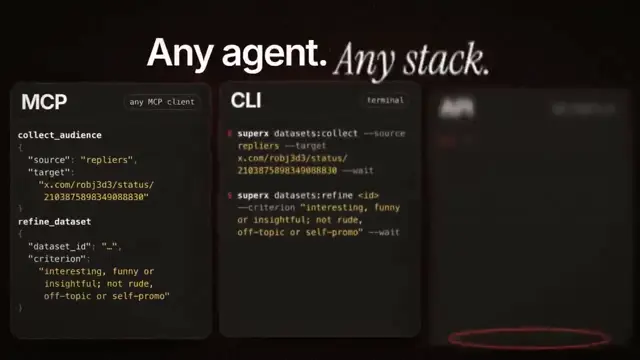
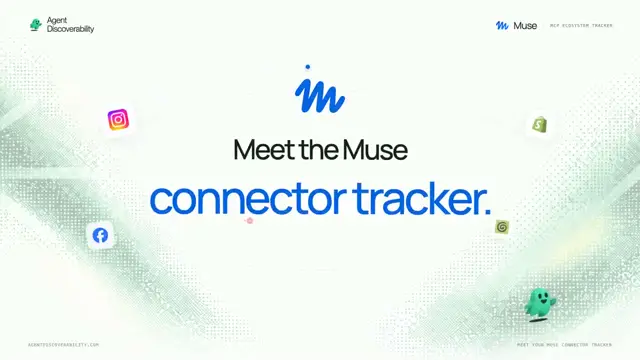
Reklam hesabını bağla (Meta, Google, LinkedIn, TikTok, Reddit logoları) → yükleyici → onay işareti → prompt çubuğuna "Launch ads that convert" yazılır → "Researching 42 competitors" adacığı → gerçek reklamlardan oluşan Ads Library duvarı kaydırılır ve en iyi performans gösteren reklamda durur → onay kartı → Approve & launch → bütçe kaydırıcısı maksimum sınırın ötesine uzar → Autopilot anahtarı → düğme, kanallar arasında hareket eden sıvı bir sekme göstergesine dönüşür → ROAS grafiği kendini çizer ve üzerine gelindiğinde bilgi balonu görünür → ⌘K → "pause" yazılır → "Paused 3 losing ads" bildirimi → düğmeye geri dönülür.
</structure>

<build>
1. Tek bir HTML dosyası, 1440x1440. Her stil seek(t) içinde hesaplanır: CSS transition, zamanlayıcı veya kareler arasında durum yok.
2. Yaylar, kapalı biçimli adım yanıtlarıdır. Hedefini birçok kez değiştiren bir değer, yayların toplamıdır; böylece zamanın saf bir fonksiyonu olarak kalır.
3. Sekme göstergesi ve anahtar düğmesi: iki kenar farklı yayları izler, böylece öndeki kenar öne doğru uzar.
4. Sürüklemeler doğrudan manipülasyondur: basılı tutulduğu sürece değer imleci takip eder. Bırakıldığında bulunduğu yerden yaylanarak geri döner.
5. Müzik yok. UI seslerini numpy ile sentezle ve her birini, ölçülen tepe noktasına göre vuruş ızgarasına yerleştir.
6. Playwright ile render al: her kare için 4 alt kare kullan, 60fps'te hareket bulanıklığı için ffmpeg tmix ile harmanla.
7. Önce her vuruş için bir kare render et. Izgara dışına taşan, sıkışık görünen veya okunması zor her şeyi düzelt.
</build>

<gotchas>
Kameranın ölçeklendirdiği hiçbir öğede will-change kullanma. Değiştirilen metnin kendine ait giriş/çıkış zamanlaması olmalı. İmlecin konumu ve hızı da dahil olmak üzere son kareyi ilk kareyle eşleştir; aksi hâlde döngü takılır.
</gotchas>

Herhangi bir kod yazmadan önce vuruş ızgarasındaki durum listesini bana göster.
Analyze http://sprites.ai and build a product promo from our own UI, not generic components.

<direction>
Dribbble-level UI motion. One shape, never cut: every state is the same element morphing its size, radius and color while its content swaps with a short blur. A cursor drives every change with real clicks and drags. Warm-gray canvas, black and white components, one accent (#FD9543), Geist. Springs everywhere, a tiny overshoot at most. The camera zooms so each state fills the frame. Last frame = first frame, so it loops.
Banned: bouncy easing, particles, glows, gradients on UI chrome, mismatched icon strokes, dead time, anything that looks like a template.
</direction>

<structure>
120 BPM, 7 bars, something on every beat.
Connect ad account (Meta, Google, LinkedIn, TikTok, Reddit logos) → loader → check → prompt bar types "Launch ads that convert" → island "Researching 42 competitors" → Ads Library wall of real ads scrolls and lands on a top performer → approval card → Approve & launch → budget slider that stretches past max → Autopilot toggle → knob becomes a liquid tab indicator across channels → ROAS chart draws itself with hover tooltip → ⌘K → type "pause" → toast "Paused 3 losing ads" → back to the button.
</structure>

<build>
1. One HTML file, 1440x1440. Every style is computed inside seek(t): no CSS transitions, no timers, no state between frames.
2. Springs are closed-form step responses. A value that changes target many times is a sum of springs, so it stays a pure function of time.
3. Tab indicator and toggle knob: the two edges ride different springs, so the leading edge stretches ahead.
4. Drags are direct manipulation: while held, the value follows the cursor. On release it springs back from wherever it was.
5. No music. Synthesize UI sounds with numpy and place each one by its measured peak on the beat grid.
6. Render with Playwright: 4 subframes per frame, blended with ffmpeg tmix for motion blur at 60fps.
7. Render one frame per beat first. Fix anything off-grid, cramped or hard to read.
</build>

<gotchas>
No will-change on anything the camera scales. Swapped text needs its own enter/exit timing. Match the last frame to the first, cursor position and speed included, or the loop stutters.
</gotchas>

Show me the state list on the beat grid before writing any code.
Bu promptun hakları yazarı @AnnaCher___'a aittir. Ticari kullanımdan — yapay zekâ araçlarının, toplayıcıların, Telegram botlarının tanıtımı — siz sorumlusunuz: mozgi.io sorumluluk kabul etmez. Ayrıntılar →