mozgi
GPT Image 2.0
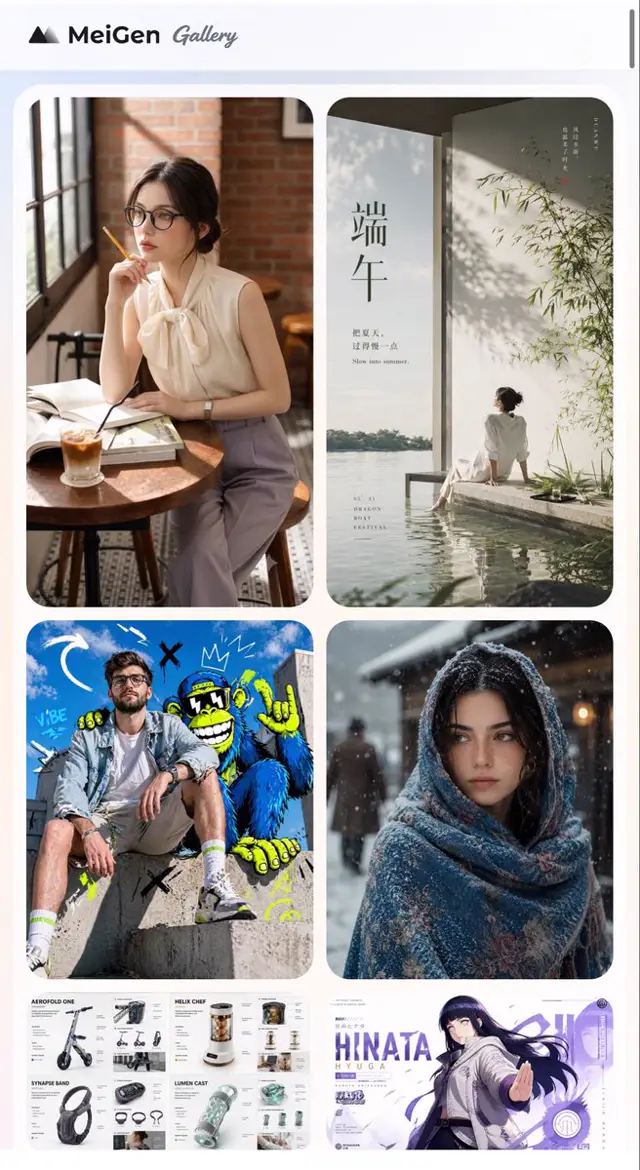
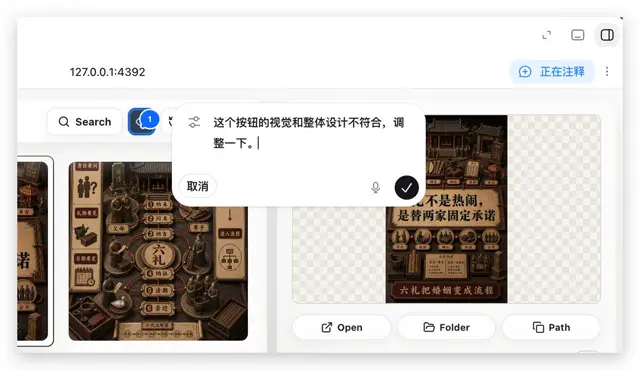
網頁應用程式介面,展示畫廊風格的中國海報,帶有搜尋欄和浮動註釋彈窗
提示詞
Using REFERENCE_0 as the context, create a follow-up screenshot that shows the selected “Build Web Apps” tool in action as a local web app preview. Replace the plugin list view with a browser-like localhost workspace at 127.0.0.1:4392, clean white UI, soft shadows, and rounded panels.

Main change: show an app-building/annotation interface rather than the original plugin directory. Add a top bar with the local address on the left and exactly 3 small window/control icons on the right. Add a blue annotation status pill on the upper right with the text 正在注释 and a vertical three-dot menu beside it.

Content area: create a gallery-style UI with Chinese poster/card designs inside rounded white panels. Include a left toolbar row with a Search button and a blue comment/annotation button carrying a badge labeled “1”. Show at least two visible poster/card thumbnails, using dark brown traditional Chinese visual styling, while leaving some checkerboard transparent-placeholder areas in the right panel.

Overlay: place a large floating rounded annotation input bubble centered near the top-middle of the content. It should look like an inline AI comment editor, with a sliders/settings icon on the left, Chinese instruction text 这个按钮的视觉和整体设计不符合,调整一下。, a “取消” cancel button, a small microphone icon, and a black circular confirm button with a white checkmark.

Bottom of the right preview panel: add exactly 3 action buttons labeled “Open”, “Folder”, and “Path”, each with a simple line icon. Keep the screenshot realistic, like a product demo of using Build Web Apps plus built-in HTML annotation to request UI refinements.
此提示詞的權利屬於作者 @mate_mattt。任何商業使用(推廣 AI 工具、聚合平台、Telegram 機器人)由你自行負責,mozgi.io 不承擔任何責任。 詳情 →