mozgi
GPT Image 2.0
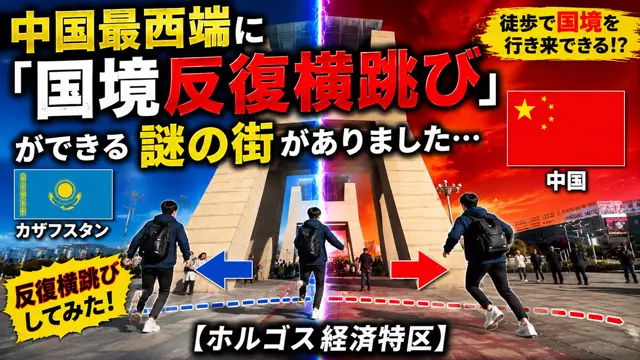
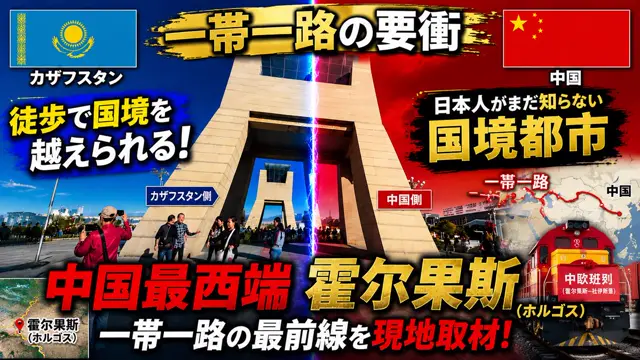
展示哈薩克與中國邊境的戲劇性分割燈光拼貼,帶有旗幟和日文文字
提示詞
Using the provided reference image as the base photo, redesign it into a high-impact Japanese YouTube travel/news thumbnail. Keep the border-gate location recognizable, but crop tighter around the central monument, boost contrast and saturation, add dramatic blue-vs-red lighting split down the middle with a vertical lightning beam marking the border, and make the layout feel like an urgent documentary thumbnail. Reposition the Kazakhstan flag to the top left and the China flag to the top right inside bordered boxes with drop shadows. Add a black-and-gold brush-stroke banner across the top with the main title 一帯一路の要衝. Add large bold outlined Japanese typography with heavy shadows and color contrast; include exactly 16 visible text elements: 1) "カザフスタン", 2) "中国", 3) 徒歩で国境を越えられる!, 4) "カザフスタン側", 5) "中国側", 6) "日本人がまだ知らない", 7) 国境都市, 8) "一帯一路", 9) "中国", 10) 中国最西端, 11) 霍尔果斯, 12) "(ホルゴス)", 13) "一帯一路の最前線を", 14) "現地取材!", 15) "霍尔果斯 (ホルゴス)", 16) "中欧班列". Add a small satellite-map inset at bottom left with a red location pin and label for Horgos. Add a right-side map graphic showing a red Belt and Road route line and dots, partially behind the headline. Add a red freight train illustration/photo composite at the lower right with the "中欧班列" label on its front. Use explosive thumbnail styling: thick black outlines, yellow/red/white text hierarchy, lens flare, vignette, grunge brush backgrounds behind text, and strong drop shadows. Output as a 16:9 thumbnail composition.
- 需要你自己的照片:在請求中附上圖片,提示詞會以它為基礎。
此提示詞的權利屬於作者 @michihitoantaa_。任何商業使用(推廣 AI 工具、聚合平台、Telegram 機器人)由你自行負責,mozgi.io 不承擔任何責任。 詳情 →